LotteryMenu

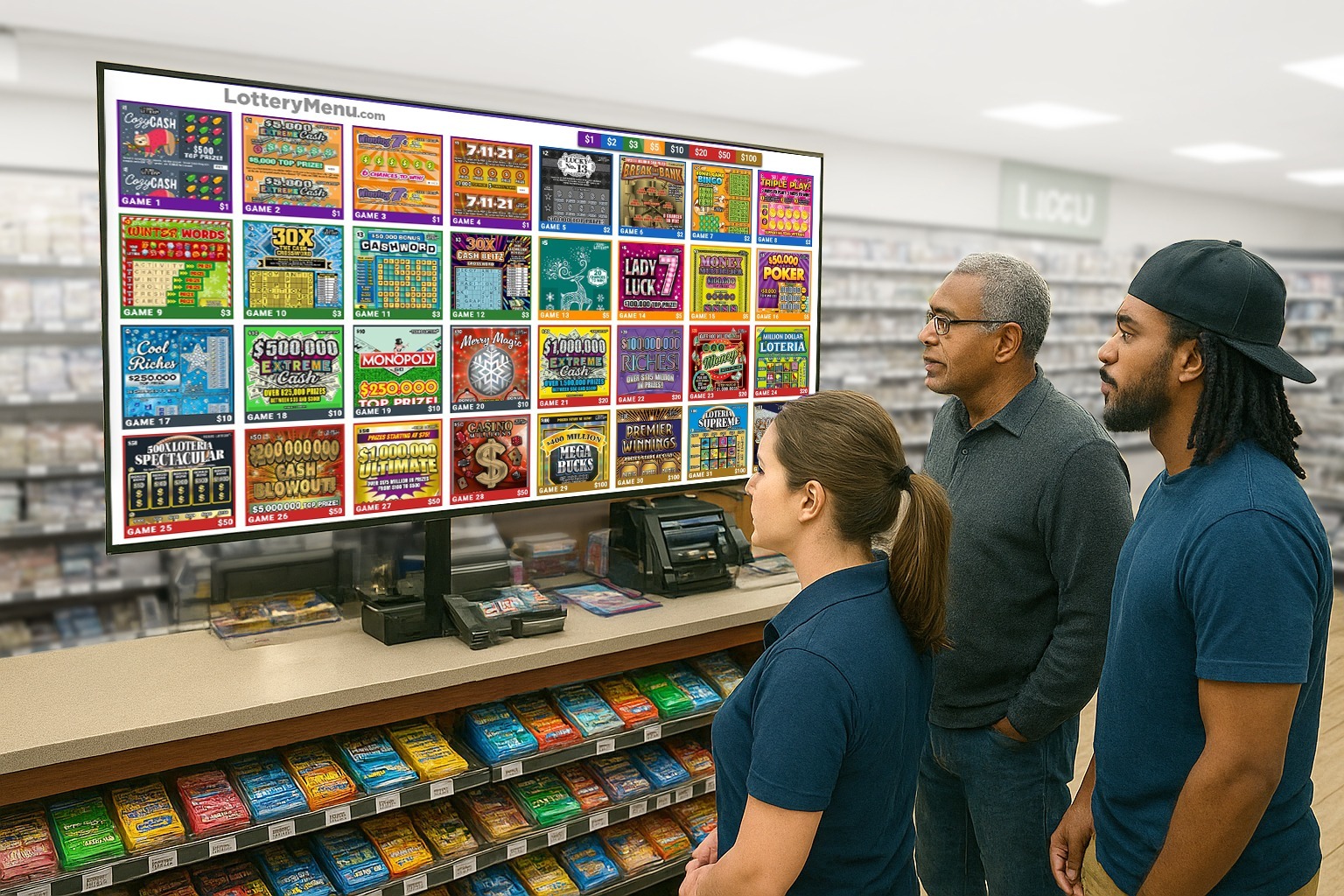
Free up physical display space for higher-margin products while showcasing a modern, professional digital board that boosts visibility, enhances the customer experience, and drives more lottery sales.

Web page(big tv)horizontal+vertical 1
WhatsApp Image 2025-09-13 at 22.29.26

Impact That Goes Beyond the Screen

A powerful digital display solution for lottery retailers – turning any Google TV into a professional lottery board that boosts visibility, elevates customer experience, and drives more sales.

How It Works

1. Set Up TV & Install the App

Install a Google TV in your store and download the Lottery Menu App from the Google Play Store.

2. Build Your Menu

Log in to the LottoShield Portal to design your menu. Customize the layout, colors, number of bins, and font sizes for game numbers and prices.

3. Pair Your TV & Assign Games

Use the pairing code displayed on your TV to connect it with the portal, then assign games to each bin. Easily mark sold out games to keep your board up to date.

Features

Customizable Display

Choose horizontal or vertical layouts, set background colors, and adjust fonts to match your store’s style.

Flexible Bin Support

Display any number of bins to fit your TV size, so every game gets the visibility it deserves.

Cloud Powered Updates

Your board stays accurate in real time with automatic updates from the LottoShield portal.

Monthly

$12/mo

Per Store 


  • Checkmark Automatic insertion of game graphics
  • Checkmark Real-time updates within seconds
  • Checkmark Ability to mark sold-out bins
  • Checkmark “New Game” ribbon for recently added games
  • Checkmark Customizable background colors

What Our Customers Say

“We needed a way to show our senior leadership team that marketing was producing results, and that’s hard when your metrics are scattered. This dashboard saved the day.”

“We needed a way to show our senior leadership team that marketing was producing results, and that’s hard when your metrics are scattered. This dashboard saved the day.”

“We needed a way to show our senior leadership team that marketing was producing results, and that’s hard when your metrics are scattered. This dashboard saved the day.”

FAQs

What kind of TV do I need?

Any Google TV works. Simply install the LotteryMenu App from the Google Play Store.

Can I use multiple TVs?

Yes, you can set up as many TVs as you’d like. Just create a separate menu for each one.

Do I need internet?

Yes, an internet connection is required so your display can automatically fetch updates.

What happens if a game sells out?

You can quickly mark a game as Sold Out in the LottoShield portal, and your display will update instantly.

Ready To Get LotteryMenu?

LotteryMenu is available as an add-on to any LottoShield subscription for $12/month or $120/year for annual subscribers.

To use LotteryMenu, you'll need an active LottoShield account.

LottoShield helps you secure and simplify lottery operations – protecting inventory from theft, automating reconciliation, and keeping your pricebook and games up to date.